AI-free writing software for Windows
You write. Pluméo looks after the rest.
Not one generated sentence, not one text suggestion: Pluméo leaves the words to you and takes care of everything else. Your novel, your characters and your notes in one place, on your computer. No subscription.
14 days · no credit card · Windows 10 and 11
Writing without AI
Take your creativity back into your own hands.
Everywhere, tools offer to write for you. Pluméo makes the opposite choice: it organises, it saves, it counts your words, but it never whispers a single sentence. The ideas, the style, the hesitations and the discoveries stay yours.
AI-free, forever. It is a commitment: no version of Pluméo will ever contain AI.
Every word is yours
Pluméo drafts nothing, rephrases nothing, completes nothing. What you read in your book is what you wrote.
Your voice, not a machine’s
Your style takes shape as you write, sentence after sentence, with your turns of phrase and your clumsiness. Nobody smooths it out for you.
Tools, not a ghostwriter
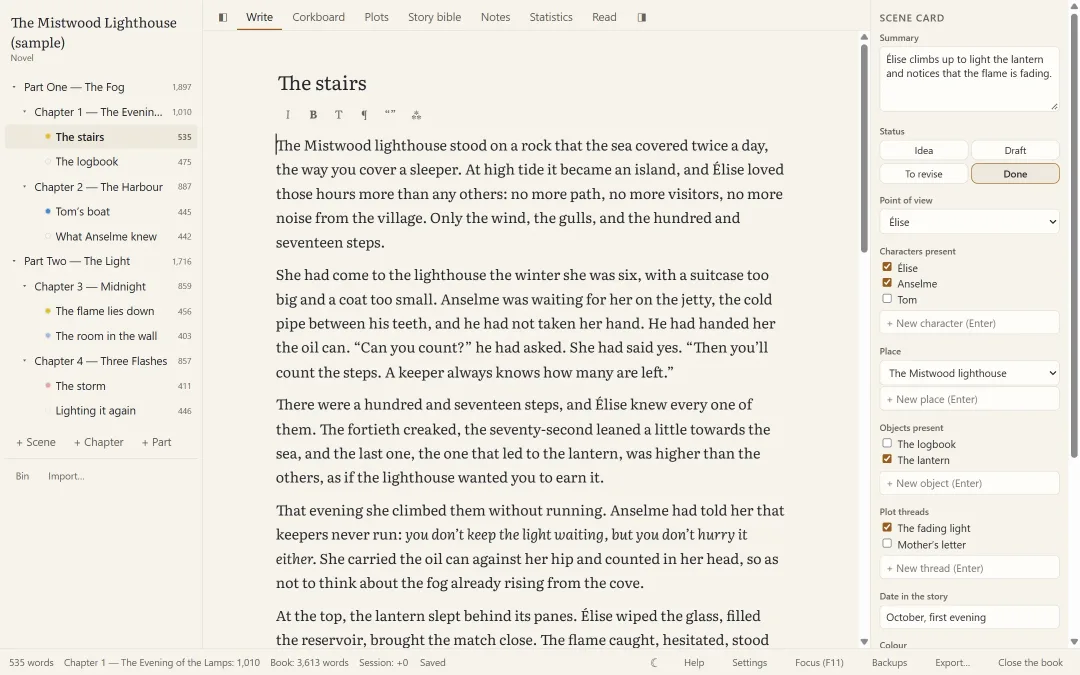
Focus mode, word goals, statistics, character and place cards: Pluméo helps you move forward. The writing stays in your hands.
Sound familiar?
Writing a book is hard enough already.
The hardest part shouldn’t be finding your chapters, your notes or the colour of your heroine’s eyes.
“My novel is 300 pages in a single Word file. I can’t find anything any more.”
The chapters grow longer, the file gets heavier, and every read-through starts with ten minutes of scrolling.
“My notes are everywhere: notebooks, sticky notes, screenshots, my phone.”
Last Tuesday’s brilliant idea exists somewhere. The question is where.
“I’m afraid of losing everything one day.”
A power cut, a forgotten USB stick, a wrong click: months of work can hang by a thread.
“I’ve been putting this novel off for years.”
Time runs short, motivation crumbles, and you no longer quite know where you are.
Before
- Chapters scattered across “novel_v3_final_REALLY.docx”
- Notes in notebooks, on sticky notes and in fifteen open tabs
- The fear of losing your text
With Pluméo
- A book organised chapter by chapter, scene by scene
- A story bible close at hand, inside the book
- Peace of mind: your text is saved and backed up
Pluméo in action
A quiet place to write, with everything else close at hand.
Screenshots taken with the sample book that comes with Pluméo, “The Mistwood Lighthouse”.
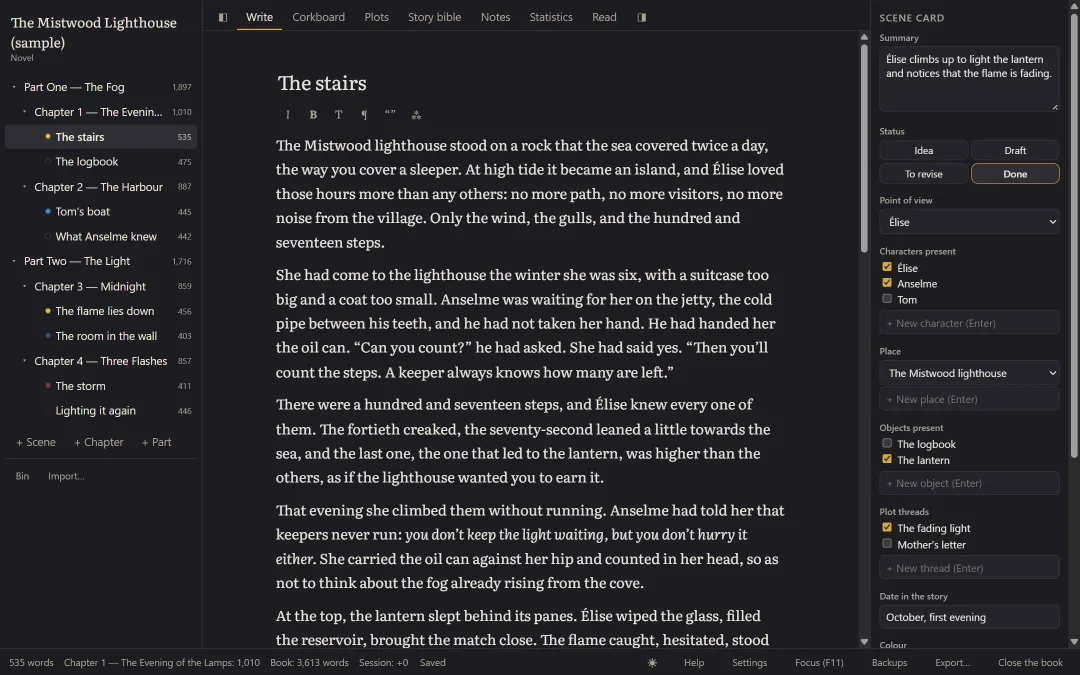
The binder on the left, your text in the middle, the scene card on the right. Light, dark or sepia theme.
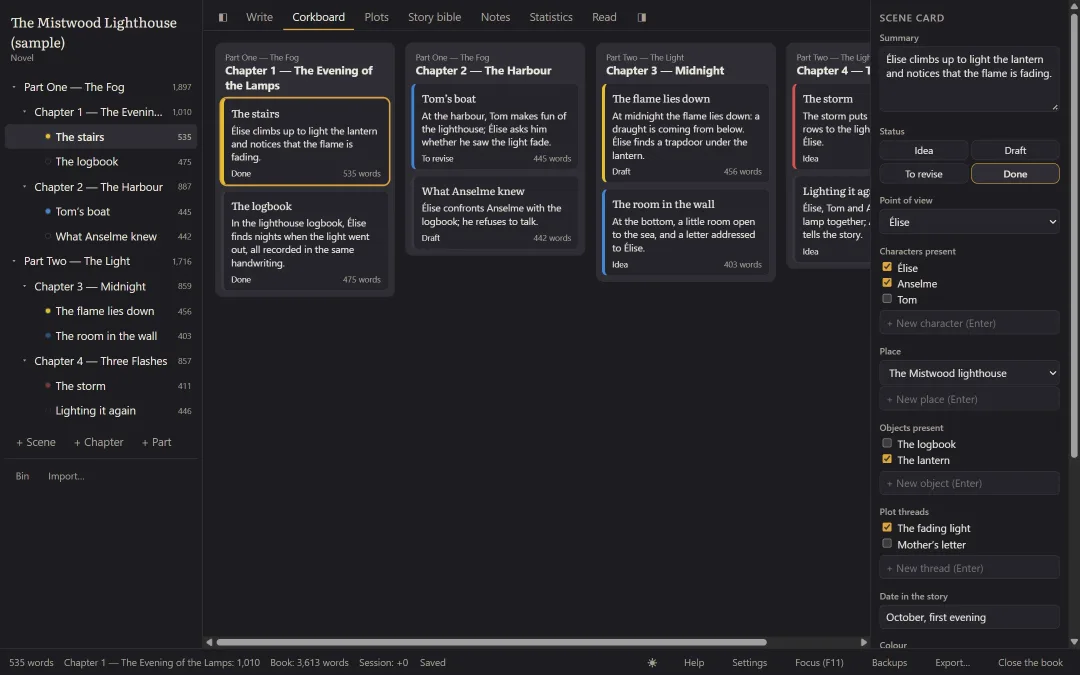
One card per scene. Move a card and the manuscript follows.
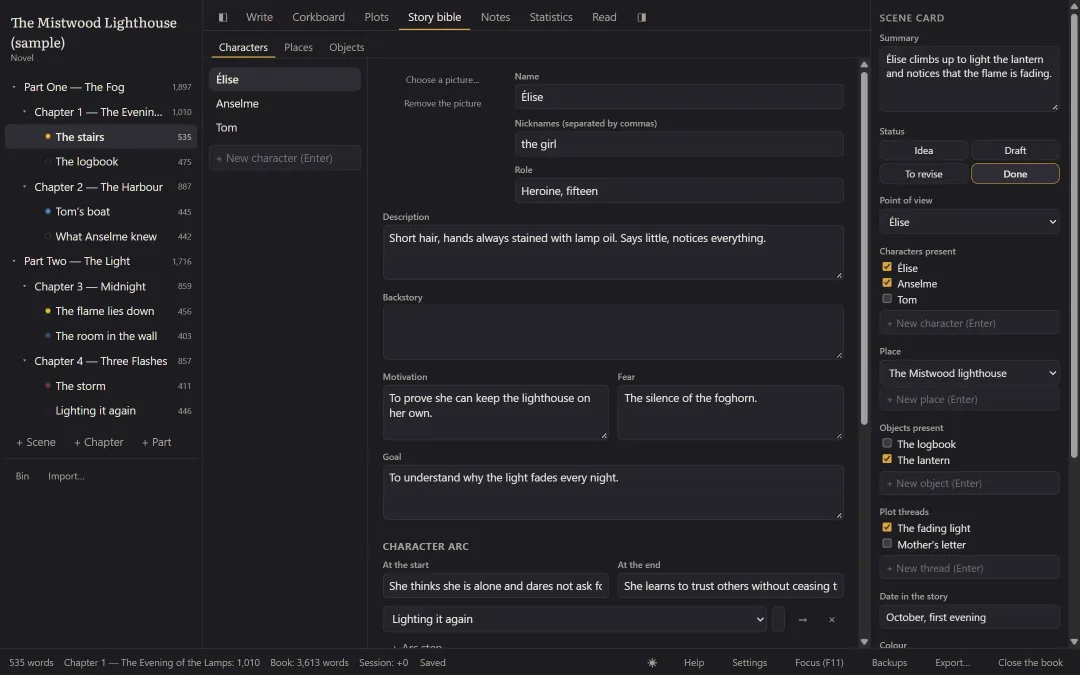
Characters, places and objects: each card keeps what you don’t want to forget.
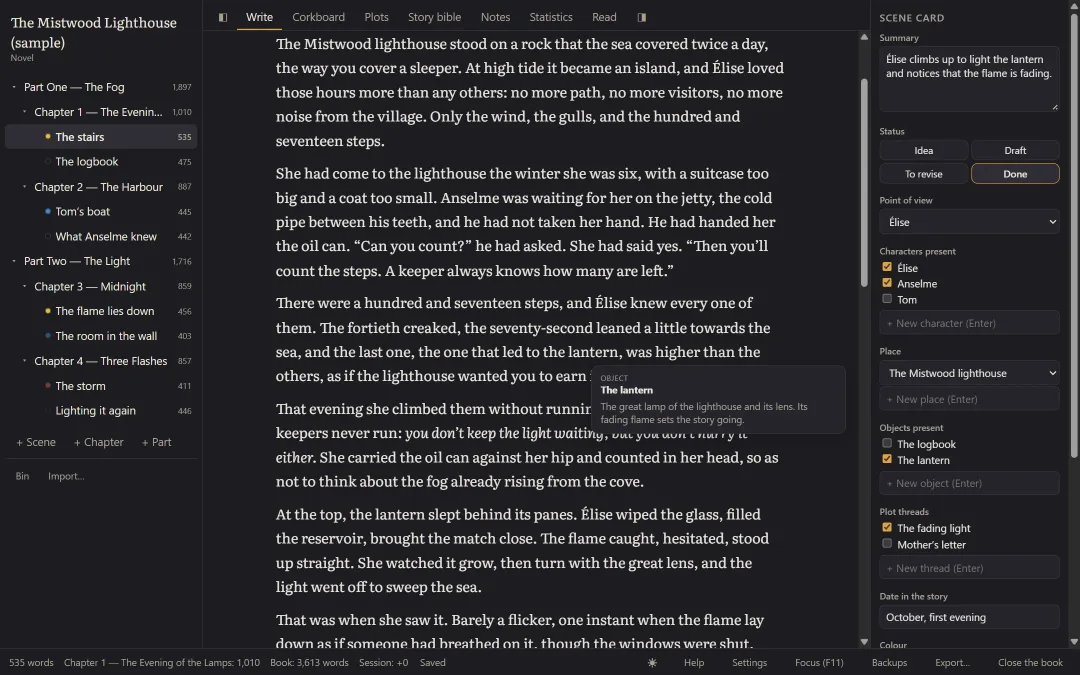
Rest the mouse on a name in the text: a summary of its card appears.
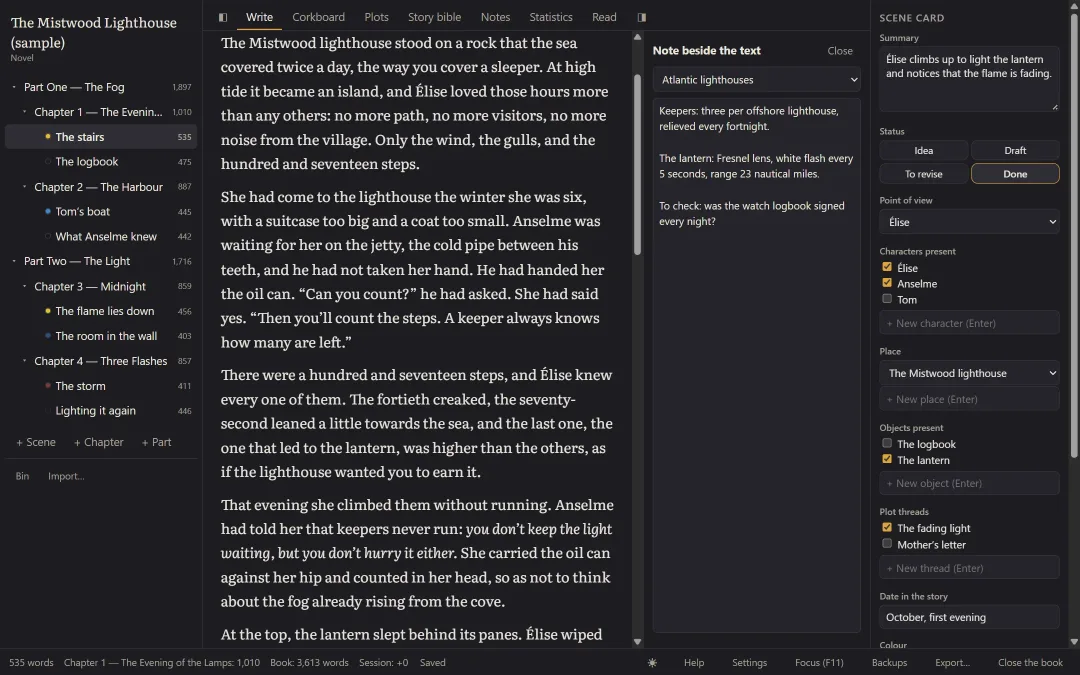
Your research beside the text, while you write.
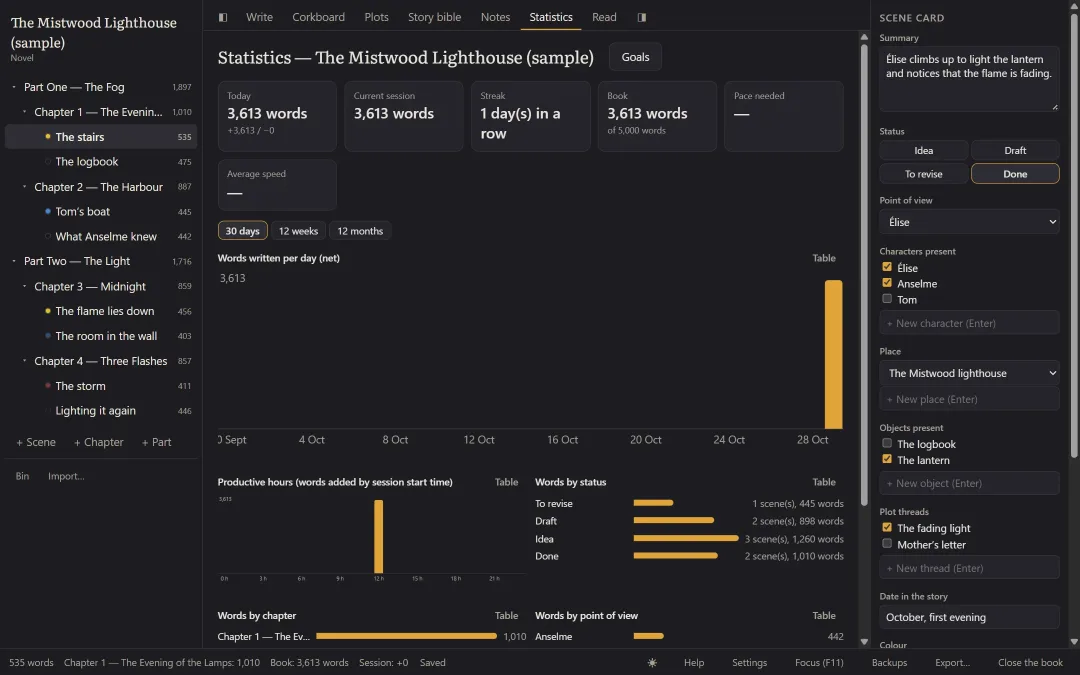
Words today, writing streak, the pace you need to reach your goal.
What Pluméo changes
Less tidying up, more writing.
Write without distractions
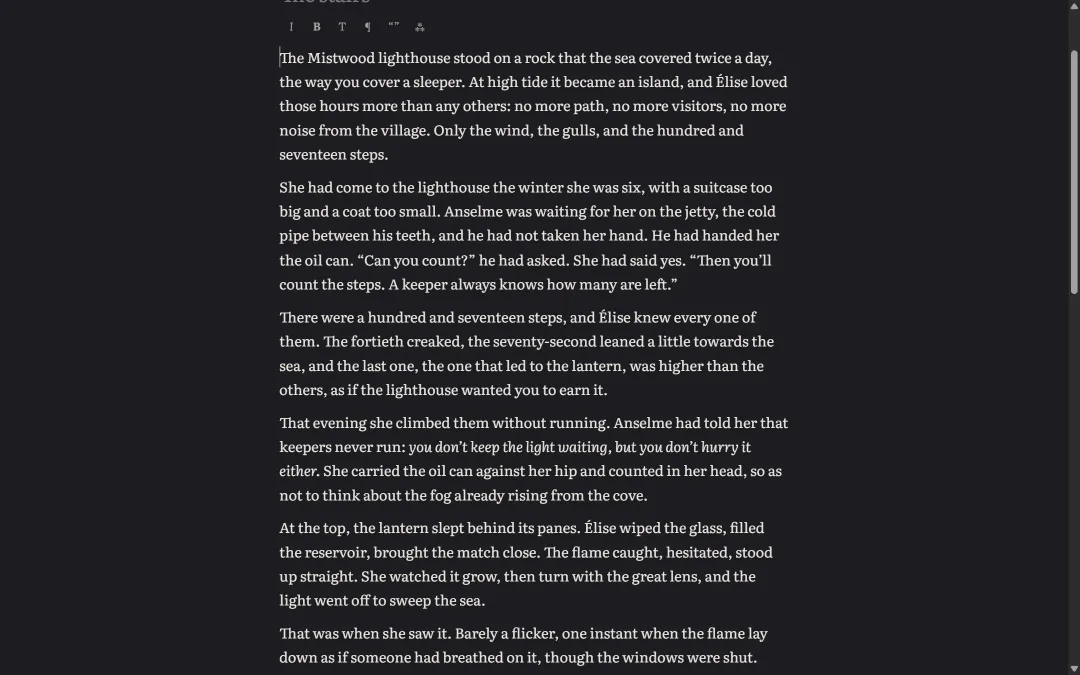
Press F11 and only you and your text remain. No notifications, no menus, no blinking tabs.
- Full-screen focus mode, typewriter mode
- Light, dark and sepia themes
- Smart typography as you type: curly quotes, apostrophes, em dashes
Never lose a line again
Write with peace of mind: Pluméo keeps your book safe while you write. And if you regret deleting something, you can get it back.
- Automatic saving one second after your last keystroke
- Automatic backups to the folder of your choice, USB stick included
- Versions of each scene, 30-day bin
Your book, finally in one place
Parts, chapters and scenes are rearranged by drag and drop. The corkboard shows you the whole story at a glance.
- Rearrangeable binder on the left, scene card on the right
- Corkboard: moving a card rearranges the manuscript
- Plot thread view to spot a forgotten subplot
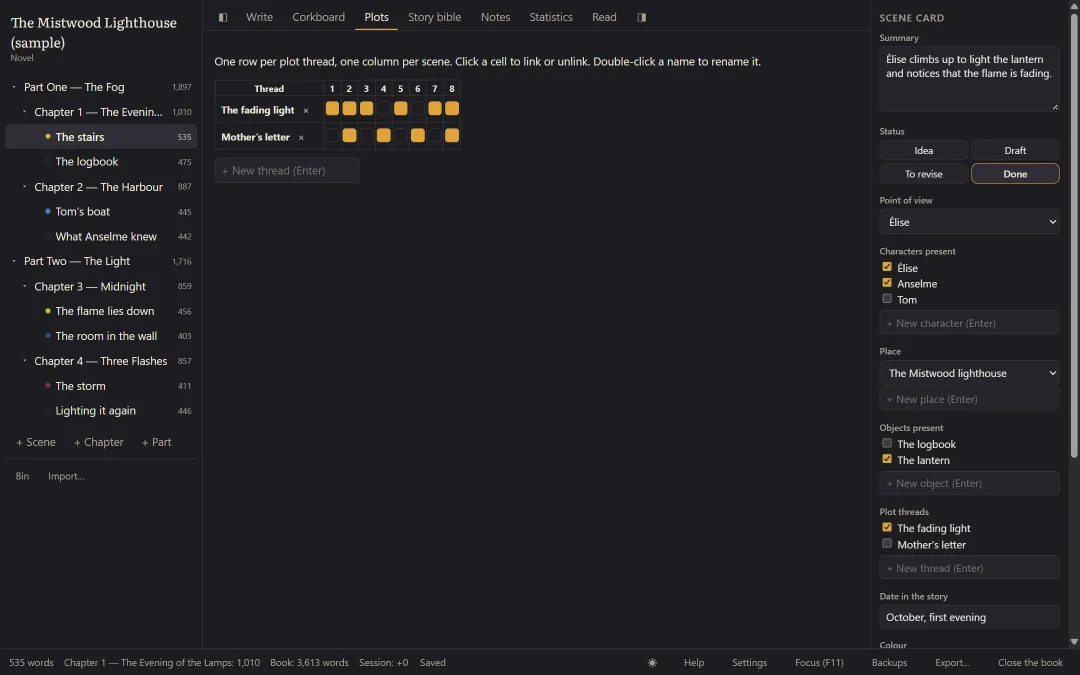
Your characters’ eyes stay the same colour
Every character, place and object has its card. Pluméo finds the scenes where it appears by itself.
- Character cards: motivation, fear, goal, arc, relationships
- Place and object cards
- Hover card on a name, appearances found automatically
Move forward a little every day
Give yourself a goal and a date: Pluméo works out how many words to write each day, and works it out again the next day.
- Words per day, writing streak, most productive hours
- Daily goal, per session or per chapter
- Preset for the 50,000-word November challenge (NaNoWriMo)
From manuscript to book
The day your text is ready, Pluméo formats it for the agent, the publisher, the printer or the e-reader.
- Word in standard manuscript format for submissions
- Book-format PDF (A5 or 6×9 inches) for self-publishing
- EPUB for e-readers, with table of contents and cover
One book, one genre
Pluméo adapts to what you write.
The genre you choose when you create the book sets the structure, the vocabulary and the suggested goals.
Novel
For long stories, with their intertwined plots.
Short story collection
Each story keeps its unity, the collection stays a single book.
Children’s and YA novel
Short chapters and goals suited to younger readers.
Other genres (non-fiction, plays, screenplays…) will come later, with no promised date.
Your text stays yours
What you write never leaves your computer.
- No account, no cloudPluméo works entirely offline. No advertising, no data collection.
- No AI reads your textsNo artificial intelligence reads your book or trains on it.
- One book, one fileYour book fits in a single file that you copy wherever you like: USB stick, external drive, OneDrive.
- Never locked inExport at any time to Word, PDF, EPUB or ordinary text files. Even after the trial, even without a licence.
The story of Pluméo
Read the story of Pluméo“For almost twenty years I have shared my life with a graduate in Romance literature, a lover of books, who is now writing her first novel. I wanted to take part in my own way: by building her the tools that suit her. Then by sharing those hours of building with other writers.”
The price
One purchase. No subscription.
Pluméo — lifetime licence
€69€59
Launch price until 31 December 2026
€69
VAT included, paid once. For one computer.
- Every feature, no paid extras
- All version 1 updates, free
- Email support
You only buy if Pluméo suits you.
Questions
Does Pluméo work on a Mac?
Not yet. Pluméo works on Windows 10 and 11. A Mac version is being considered for later, with no promised date.
Do I need an internet connection?
No. Pluméo works entirely offline. Only the update check connects, and you can turn it off.
Is Pluméo in English?
Yes. Pluméo speaks English and French. It starts in English if Windows is in English, and you can switch language at any time in Settings. The guide and the sample book are in both languages.
What happens at the end of the trial?
Your books stay readable, searchable, exportable and backed up. Only writing is blocked until you buy a licence.
Can I import my Word manuscript?
Yes. Pluméo splits it into chapters and scenes automatically. It also imports text and Markdown files.
Does Pluméo use AI?
No, and it always will be no: no version of Pluméo will ever contain AI. Pluméo writes, rephrases and suggests no sentences: all the text comes from you. Nothing leaves your computer, and no artificial intelligence reads your texts or trains on them.
What if Pluméo isn’t right for me?
That is what the free trial is for: 14 days with every feature, no credit card. You only buy if you like Pluméo.
Your book is waiting. Written by you.
Install Pluméo, open the sample book, then start your own.
14 days · no credit card · no sign-up