Features
Everything you need to write a book. Nothing more.
Here, theme by theme, is what Pluméo does today. All these features are included in the free trial as well as in the licence.
Easy to get started
A book that is structured from the moment you create it, and a sample book to explore everything without risk.
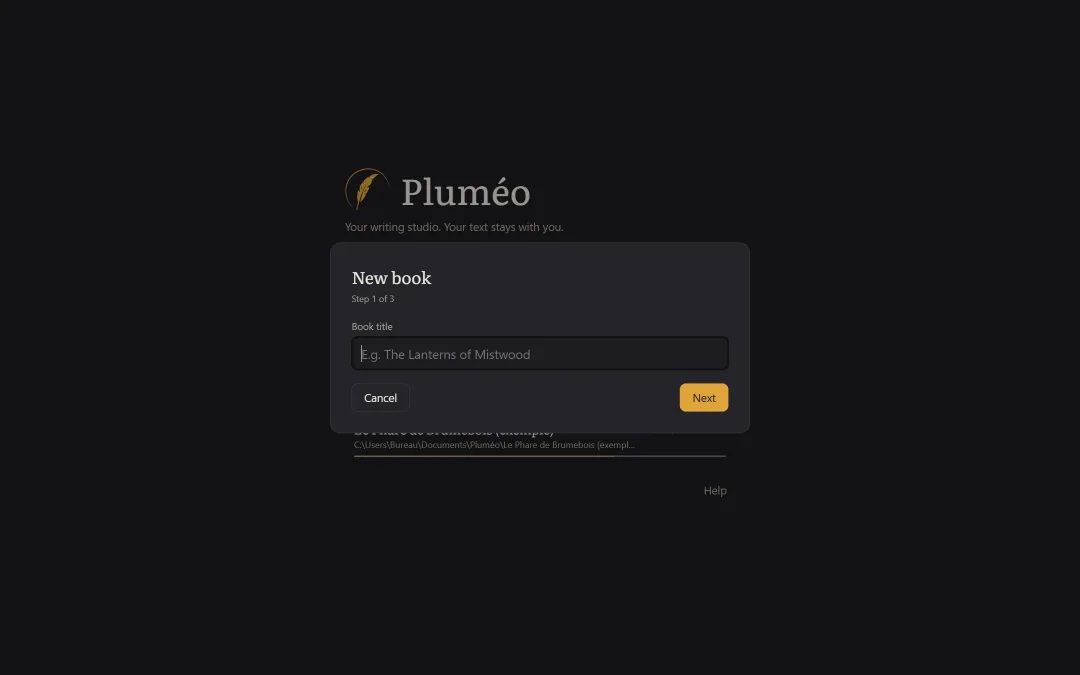
- Home screen with your recent books and their progress
- “New book” assistant: title, genre, structure, word goal
- The genre (novel, short story collection, children’s and YA novel) adapts the structure, the vocabulary and the goals
- Guided first launch in three screens
- A complete sample book, “The Mistwood Lighthouse”
- Built-in guide, available offline (F1 key)
- Command palette Ctrl+K and quick access to a scene Ctrl+P
- Interface in English or French, chosen automatically and changeable in Settings
Writing without distractions
An uncluttered editor, and a focus mode where only the text remains on screen.
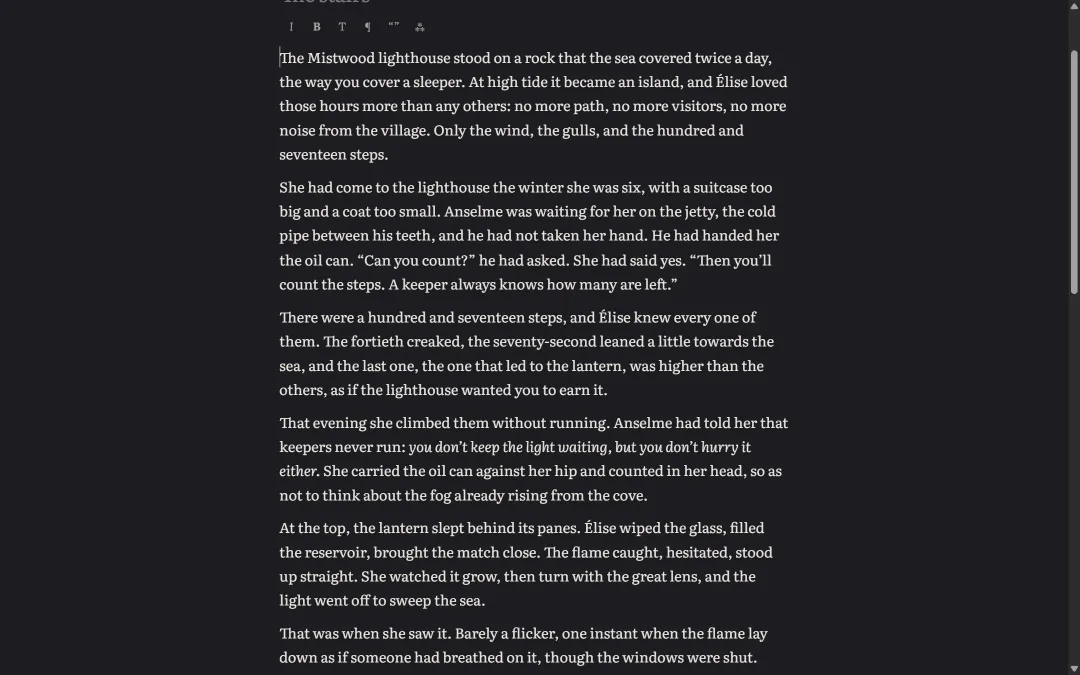
- Formatting through a discreet bar and shortcuts: italic, bold, headings, quote, scene break
- Full-screen focus mode; Esc to leave
- Typewriter mode: the current line stays in the middle of the screen
- Optional highlighting of the current paragraph
- Adjustable font, size, line spacing and column width
- Light, dark and sepia themes; ☾ button to switch in one click
- Smart typography as you type: curly quotes, apostrophes, em dashes, ellipses (and full French typography when Pluméo is in French)
- Windows spell checker
- Unlimited undo and redo during the session
- Stays smooth with a 10,000-word scene and a 300,000-word book
Organising your book
The binder, the corkboard and the plot threads: three ways of seeing the same story.
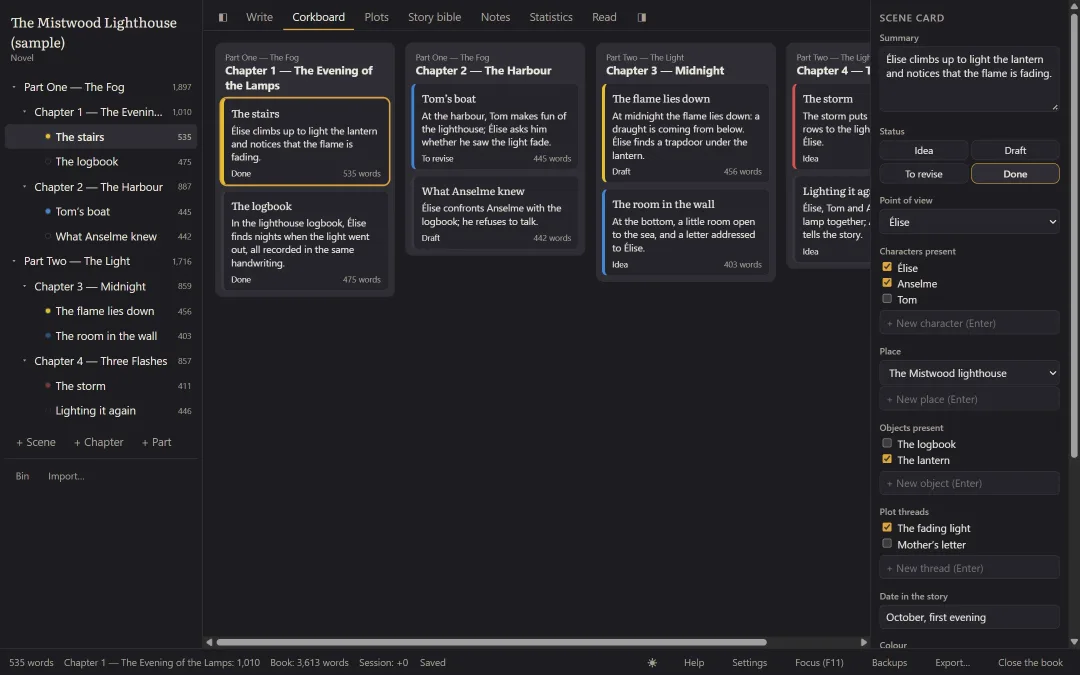
- Binder: the book’s tree, rearranged by drag and drop
- A card for each scene: summary, status, point of view, characters, place, objects, plot threads, date in the story, colour
- Corkboard: one card per scene; moving a card rearranges the manuscript
- Plot thread view: one row per plot, the scenes in columns
- Split a scene at the cursor, merge two scenes
- Continuous reading of the whole manuscript
- Collapsible columns (Ctrl+\)
The story bible
Characters, places and objects have their card. Pluméo finds the scenes where they appear for you.
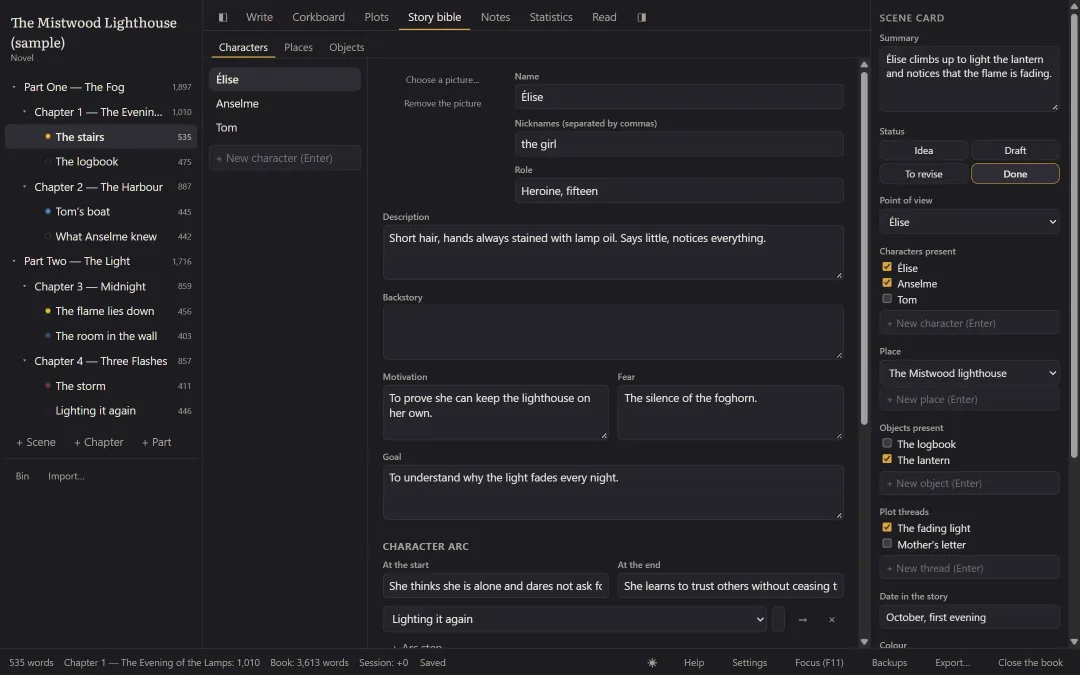
- Character cards: name, nicknames, role, picture, description, backstory, motivation, fear, goal, arc, free fields, relationships
- Place cards and object cards
- Automatic appearances: the scenes where a character, place or object appears, opened in one click
- Hover card: a summary of the card appears when the mouse rests on a name
- Renaming a character updates everything
Notes and research
Your research kept inside the book, and shown beside the text while you write.
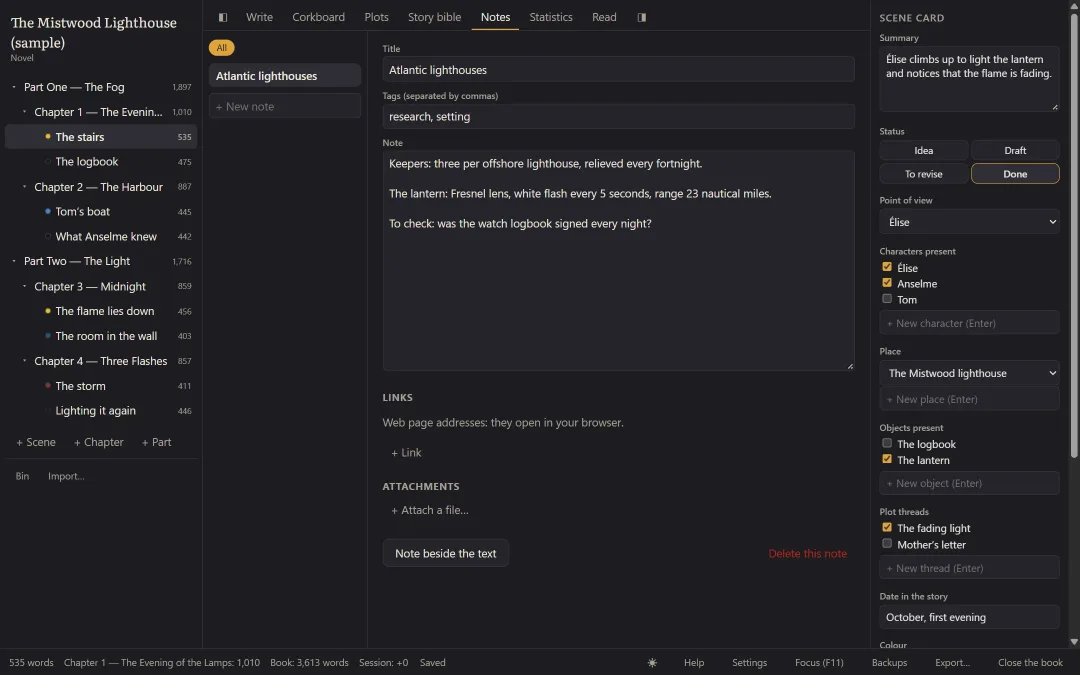
- Notes sorted by tags, with web links
- Attachments (pictures, PDFs) kept inside the book
- Split screen: a note beside the text (Ctrl+Shift+N)
- Margin comments on a passage (Ctrl+Shift+M), never included in exports
Staying motivated
See how far you have come, and know how many words to write today to keep to your date.
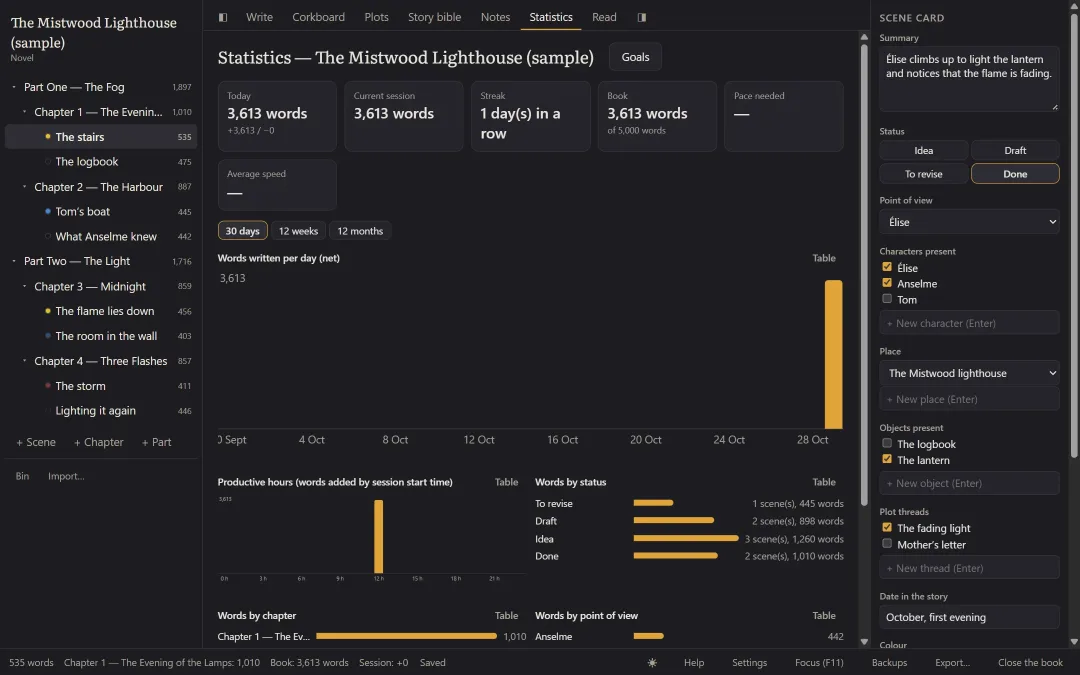
- Writing sessions detected automatically
- Words per day, week and month; session length, speed, most productive hours
- Writing streak
- Breakdown by chapter, by status and by point of view
- Goal and deadline: the pace you need per day, worked out again every day
- Daily goal, per-session goal, deadlines per chapter
- Preset for the 50,000-word November challenge (NaNoWriMo)
- Progress bar and small celebrations, which you can turn off
Find anything
- Search the whole book: text, summaries, cards and notes
- One click takes you to the exact place
- Options: match case, whole word, ignore accents
- Search and replace across the whole book, with a preview before confirming
Never lose a line
- Automatic saving one second after your last keystroke, with a “Saved” indicator
- Every save is complete or doesn’t happen: never a half-written book, even during a power cut
- If saving fails (USB stick removed, disk full), Pluméo warns you, tries again and won’t close until the text is safe
- Automatic backups when you open the book, every 30 minutes of writing and when you close it, in the folder of your choice
- Pluméo keeps the last 10 backups, one per day for 30 days and one per month
- Warning if the backups are on the same disk as the book
- One-click restore, without ever overwriting the original
- File check on opening; if it is damaged, Pluméo offers the last healthy backup
- Scene versions: named versions, one automatic version per writing day, highlighted comparison
- 30-day bin: a deleted scene is restored to its place, with its card and comments
- Warning if the book is already open on another computer (for example through OneDrive)
Getting your book out
- Word in standard manuscript format for agents and publishers (Times 12, double-spaced, chapters on a new page) or in free layout
- Simple PDF or book-format PDF (A5 or 6×9 inches, running heads, page numbers) for self-publishing
- EPUB 3 for e-readers, with title page, table of contents and cover, valid according to the official EPUBCheck validator
- Markdown and plain text
- Readable folder: the whole book as ordinary text files, with the cards — possible even without a licence
- Export everything, one part, or only the “done” scenes
- Import of a Word, Markdown or text manuscript, split into chapters and scenes automatically
Respect for the author
- AI-free, forever: Pluméo writes, rephrases and suggests no sentences, and never will
- No artificial intelligence reads your texts or trains on them
- No data sent, no account, no advertising
- One book = one file, kept by default in Documents\Pluméo, which you can put wherever you like
- Error report only when you ask for it, shown to you before sending, and without the text of the book
What Pluméo doesn’t do (yet)
So that you can choose with full knowledge:
- No Mac, Linux, phone or web version for now
- No built-in sync between computers (your file can live in OneDrive or Dropbox)
- No co-writing
- No screenplay, play, picture book, comic or non-fiction genres yet
- No advanced grammar checker: only the Windows spell checker
The simplest thing is to try it.
All these features, for 14 days, no credit card.